Instead of drawing on the default top view. The code below will show how to draw on the front view
Sub test()

    Dim pointUCS As Variant
    Dim circleObj As AcadCircle
    Dim centerPoint(0 To 2) As Double

    Set acadApp = GetObject(, "AutoCAD.Application")
    Set acadDoc = acadApp.ActiveDocument


    ' set the world ucs
    With acadDoc
        Set currUCS = .UserCoordinateSystems.Add(.GetVariable("UCSORG"), _
            .Utility.TranslateCoordinates(.GetVariable("UCSXDIR"), acUCS, acWorld, 0), _
            .Utility.TranslateCoordinates(.GetVariable("UCSYDIR"), acUCS, acWorld, 0), "OriginalUCS")
    End With
    'Create a UCS and make it current
    Origin(0) = 0: Origin(1) = 0: Origin(2) = 0
    xAxis(0) = 1: xAxis(1) = 0: xAxis(2) = 0
    yAxis(0) = 0: yAxis(1) = 0: yAxis(2) = 1    'this will change coordinate system to a front view
    Set NewUCS = acadDoc.UserCoordinateSystems.Add(Origin, xAxis, yAxis, "frontUCS")
    acadDoc.ActiveUCS = NewUCS


    'add code here of what you want to draw
    '--------------------------

    center(0) = 0
    center(1) = 5
    center(2) = 0
    'when an input is needed of 3D WCS coordinates such as
    'specifiying the cirles center you have to use the tranlatecoordiate method
    'or else the center will be drawn according to the WCS and not the
    'active UCS
    pointUCS = acadDoc.Utility.TranslateCoordinates(center, acUCS, acWorld, False)
    Set circleObj = acadDoc.ModelSpace.AddCircle(pointUCS, 50)

    '--------------------------

    'Reset the UCS to its previous setting
    acadDoc.ActiveUCS = currUCS


End Sub
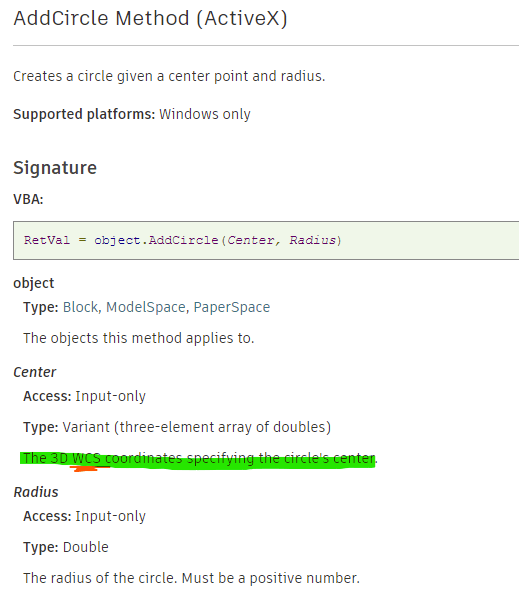
you can see below from the autodesk activex help section that the center is always drawn on the WCS, thus the need for the TranslateCoordinates method

 Coding with Visual Basic